
Free Tools for Competitive Analysis

You don’t need a budget to see which channel feeds your competitor’s pipeline. You need to know which free tools to use.
Early analysis can be done with a variety of free tools, although for deeper insights and more accurate work, you may need the paid versions of these or more advanced tools.
There is always competition.
And, if not direct competition there are always alternatives.
There are traces of interest, or historical information for most products, services, and types of businesses you want to market.
Before creating your strategy, you need information, data.
Your first source is company information: Google Analytics, CRM, Founder/CEO insights, product people, customer relations etc.
Your second source is industry & competitors…
Today, I will be talking about the tools to do some quick competition analysis I often use for my work.
SimilarWeb: Website traffic & Sources
SimilarWeb is great at showing you how much traffic and where the traffic comes from a website.
I mainly use it to check the channels a company uses to generate traffic.
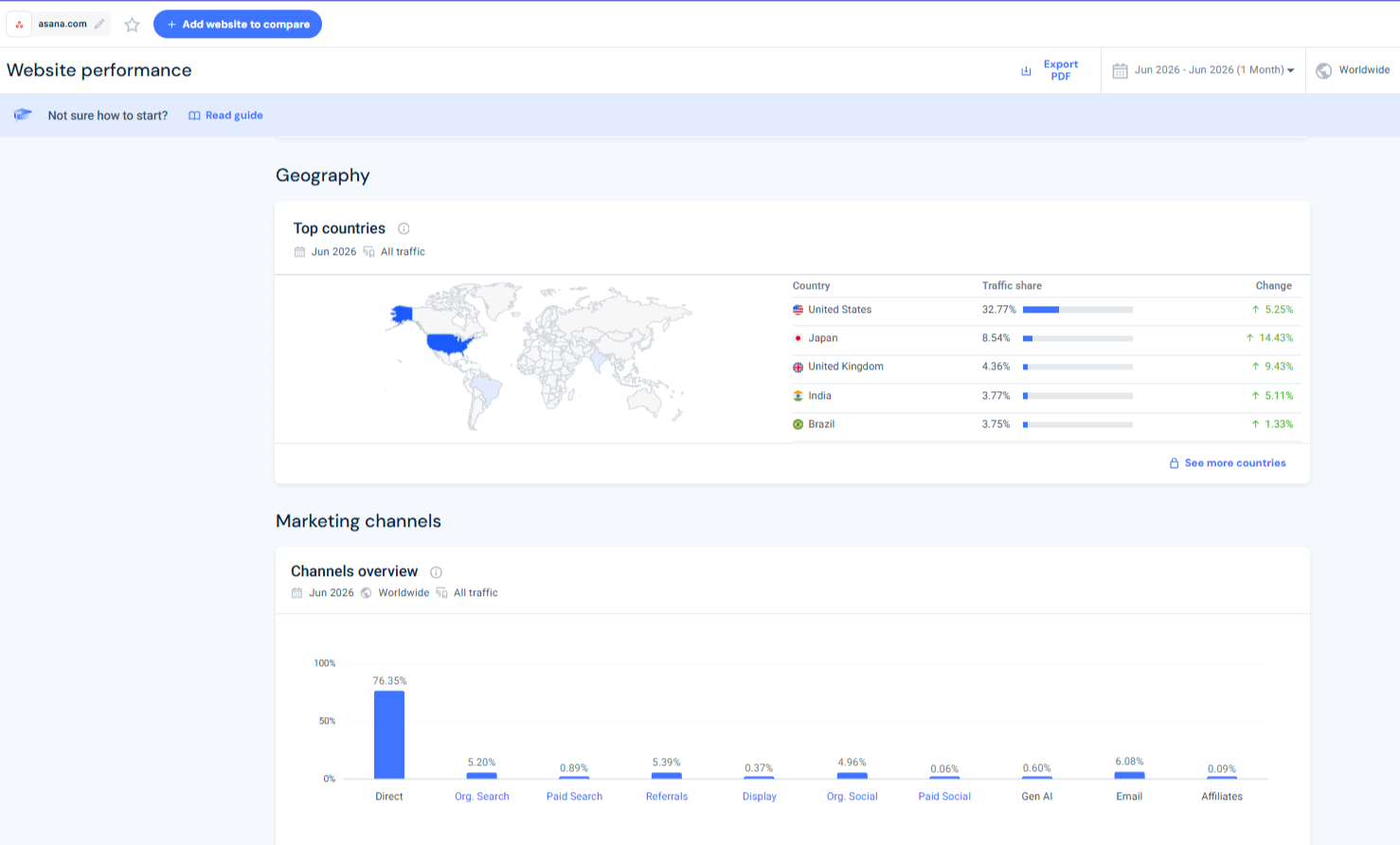
Of course, it works much better on bigger websites.
Be mindful
For many projects with up to 100k visits per month, I have seen it fail, often over-estimating traffic.
For smaller websites and local sites, it often under-estimates.
Limitations
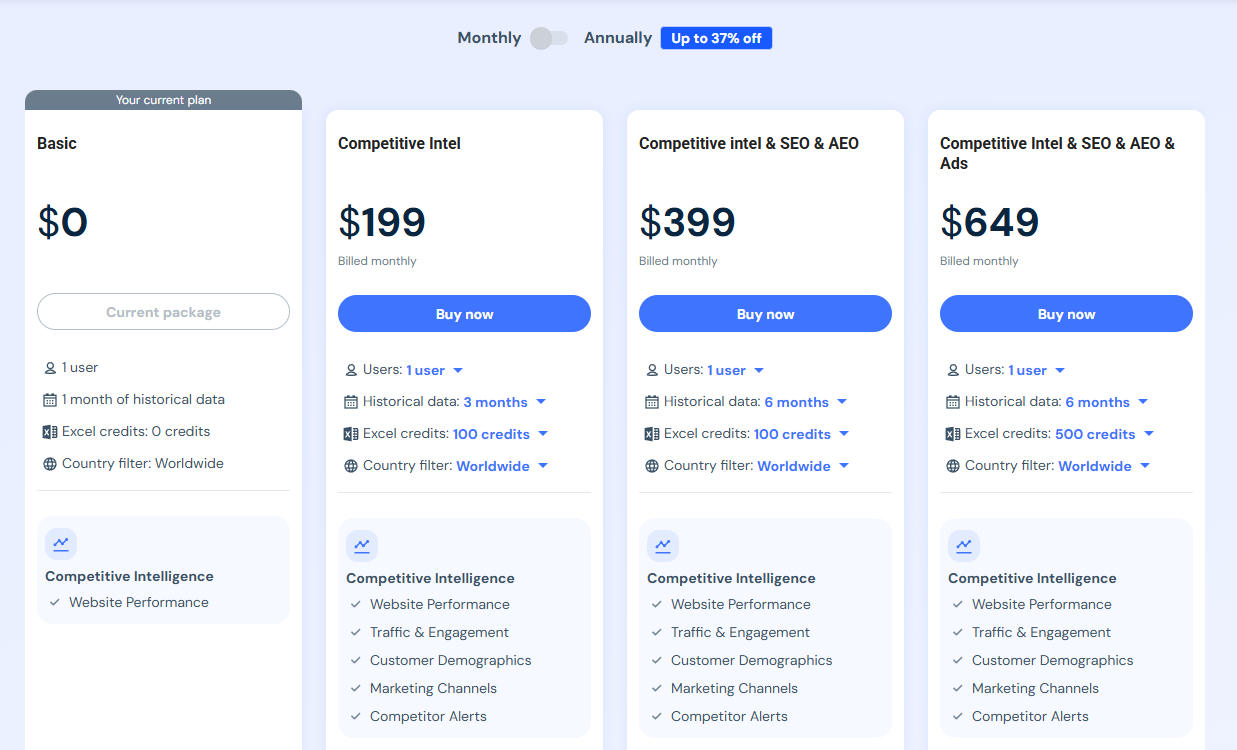
The free version only gives you data for the past month.
If you want historical data, it’s pretty expensive and can be quite pricey.
I only recommend paying for SimilarWeb if you have a decent budget, and $500-$1000 per month would not make a dent to it.
Ahrefs’ Free Tools
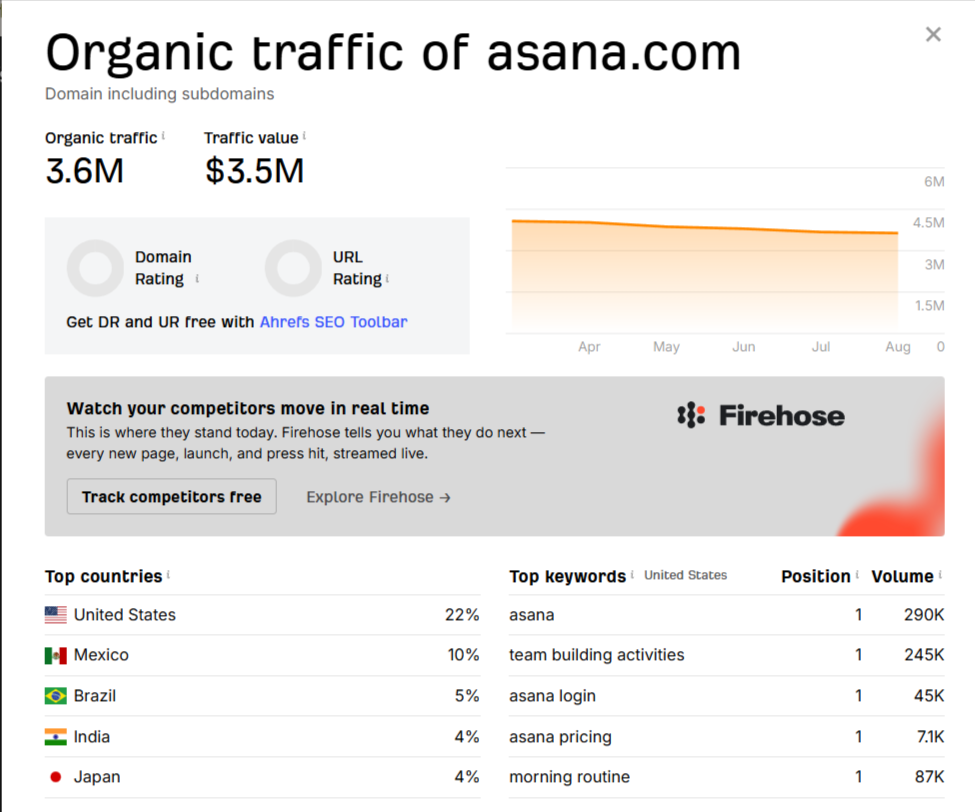
Ahrefs is one of my favourite SEO tools, and they have released a number of their functionalities as free mini-tools.
While, it’s nowhere near the power of the combined tool you get when paid, they can give a good quick overview on a domain.
Website Traffic Checker for organic estimates and their top pages
Backlink Checker for who links to them, which doubles as your outreach list
Website Authority Checker for Domain Rating, a fast read on how hard they are to outrank
Free Keyword Generator for the terms their content is built around
SERP Checker for the top 10 on a keyword you both want
The AD libraries
If you are not responsible for campaigns and paid ads, you probably don’t know that ad libraries from the big social platforms can become top intelligence tools:
LinkedIn Ad Library. Every ad any company runs, searchable by name. For B2B this is the highest-signal free source on the internet, and I still meet Heads of Growth who have never opened it.
Meta Ad Library. Facebook and Instagram creative, useful for retargeting and founder-led demand.
Google Ads Transparency Center. Their Search and YouTube ads with rough run dates.
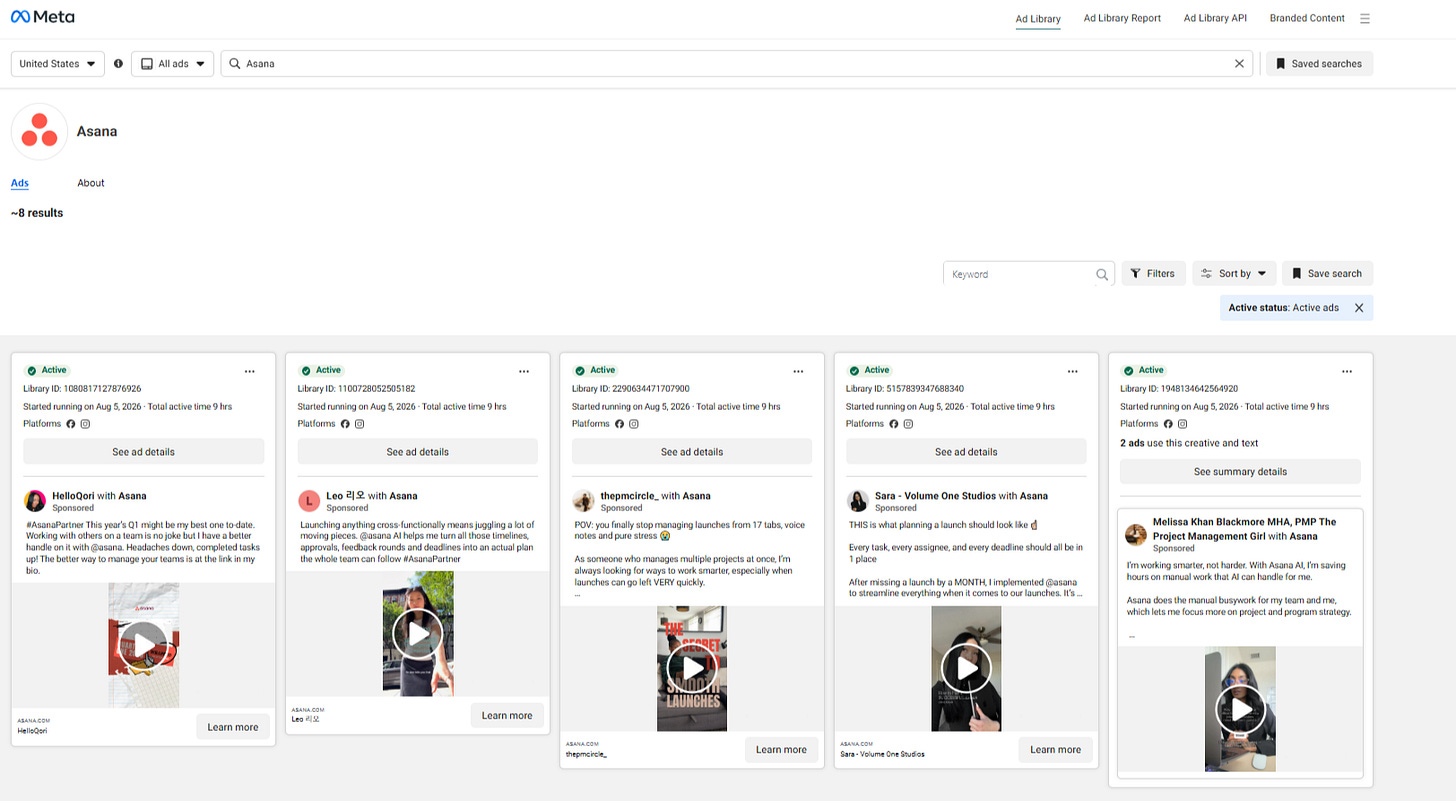
Meta’s Ad Library showing mostly video stories for Asana
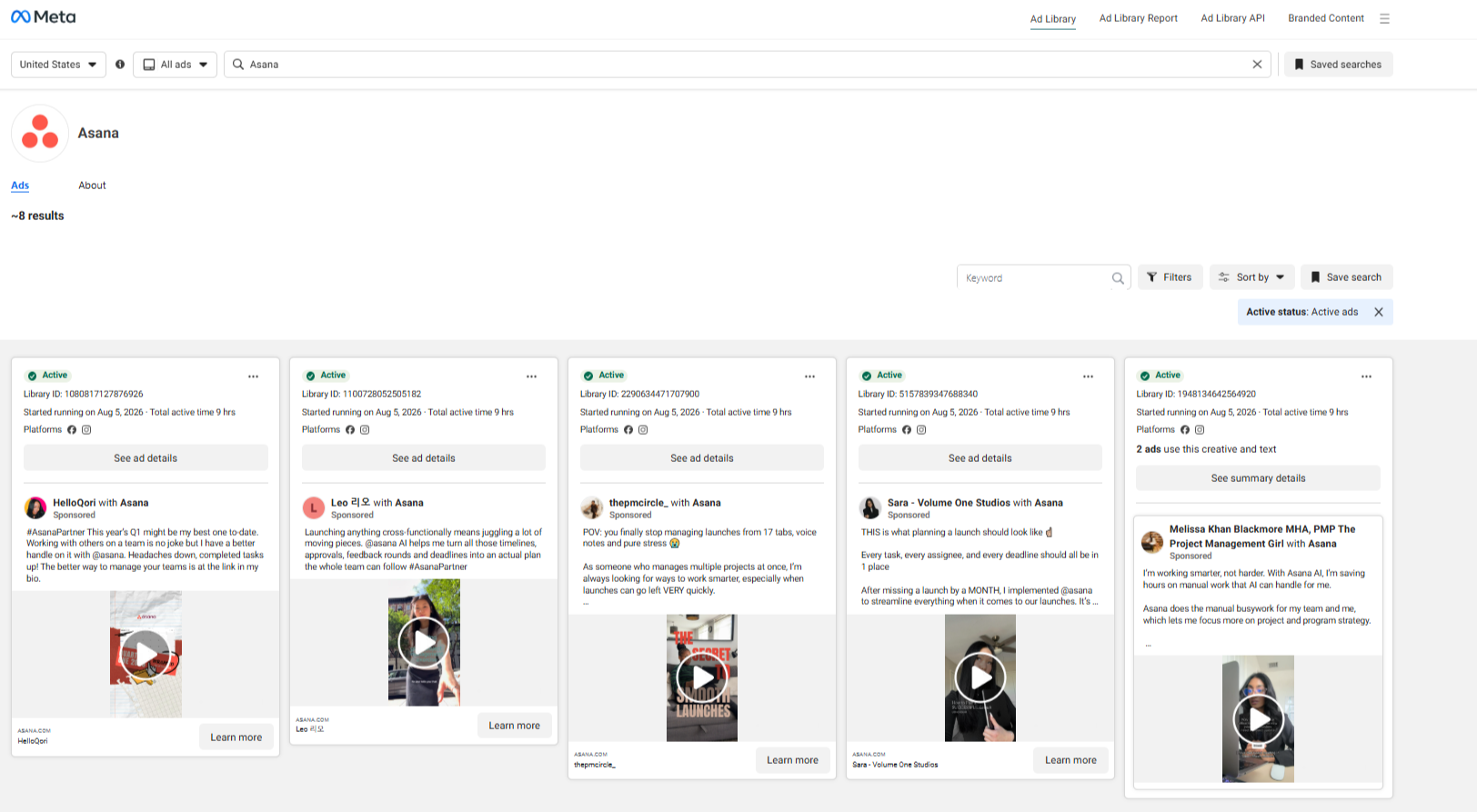
There are many paid tools for competitive ad intelligence. Those help you get historical data and guesstimates on volume, costs, etc.
Keep in mind that paid tools often capture only the biggest brands, and a small competitor may go unnoticed.
Audience Research with SparkToro
Where does my audience lives?
What websites they read?
What podcasts / Youtube channels do they follow?
That’s part of what SparkToro answers.
I went deep on this category in Audience Research Tools: A CMO’s Playbook, so I won’t repeat the whole playbook here.
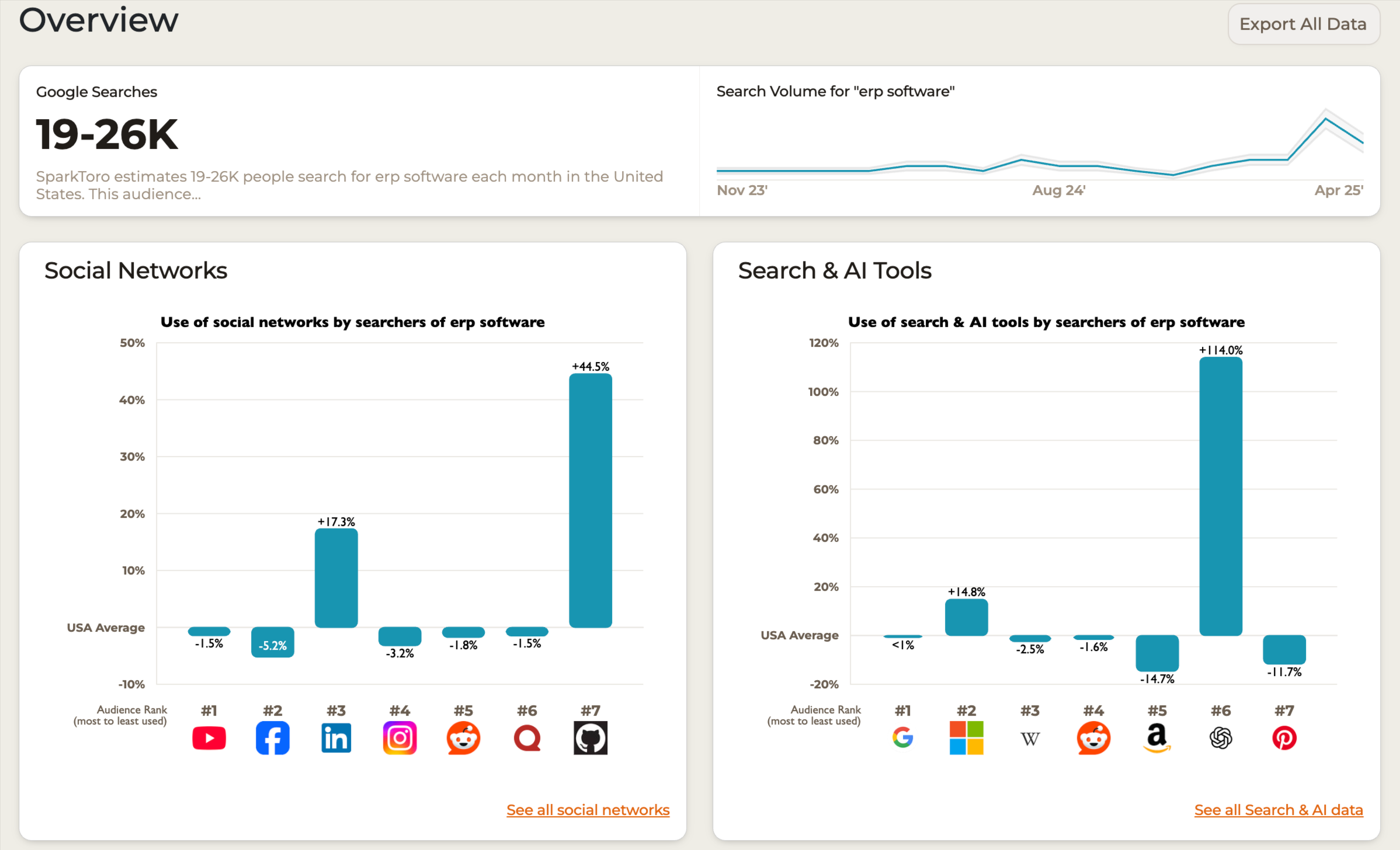
You get 3 reports per month on the free plan, which is limited to the depth they go.
But, if you want more it’s pretty cheap to pay for $50 or $150 for a month to do some research before your big marketing strategy of the year!
BuiltWith and Wappalyzer: What Tech Your Competitors are Using?
A competitor’s tech stack tells you how serious their capture motion is.
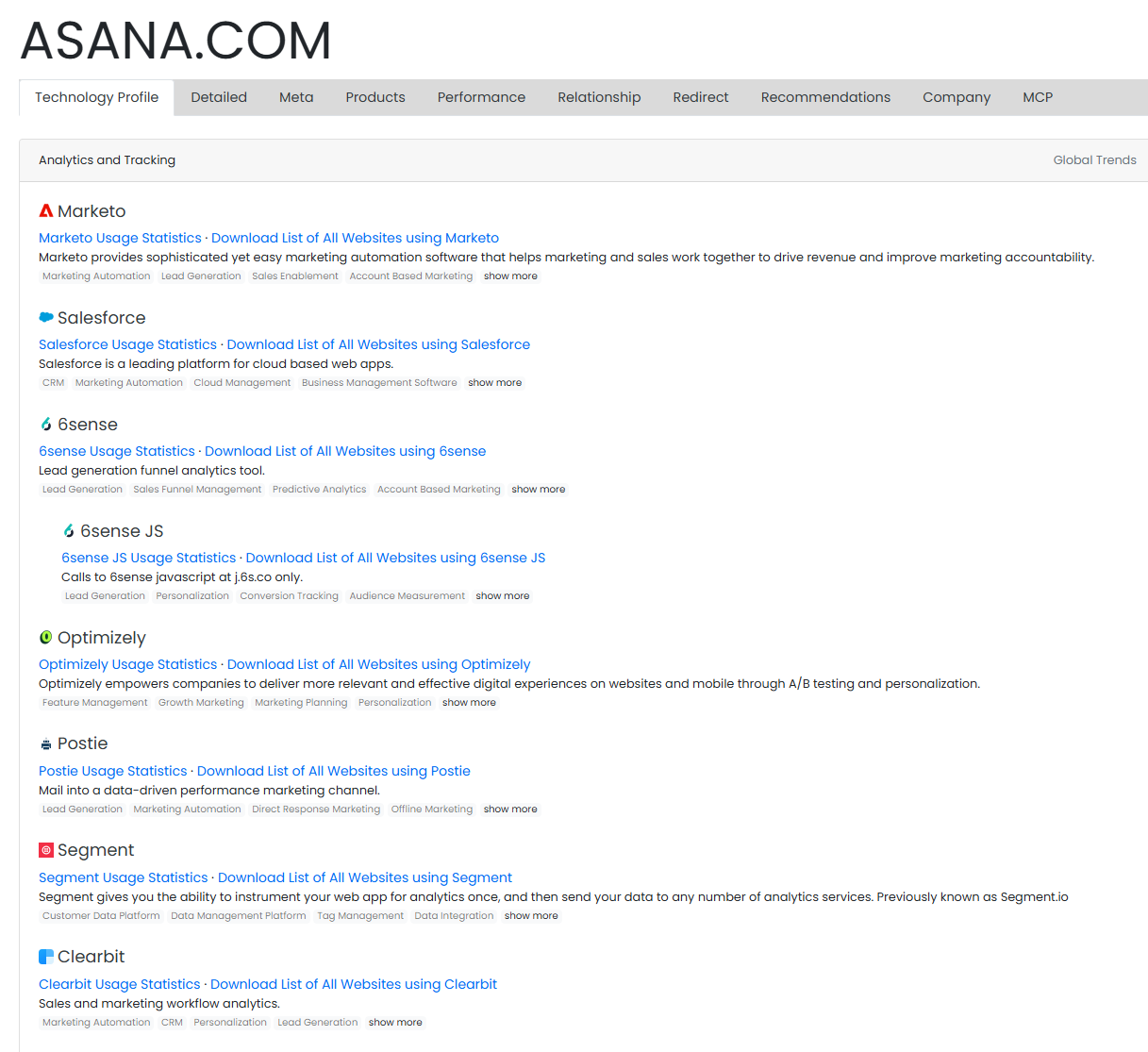
Run their domain through BuiltWith or the Wappalyzer extension and you see the CRM, the chat widget, the analytics, the A/B tool, the CDP, the consent manager.
A few interesting things you will learn:
What ad networks they are using (or were using) - through the tracking pixels.
What marketing actions are they doing - retargeting, ads, a/b testing, heatmap tracking, review sites, automations, webinars, reverse ip lookup etc.
If they are doing reverse IP lookups - see the example with Asana below where you can see 6sense and Clearbit.
How many use the product - for tools, plugins, extensions etc. you can see the usage trends and websites / companies using those products.
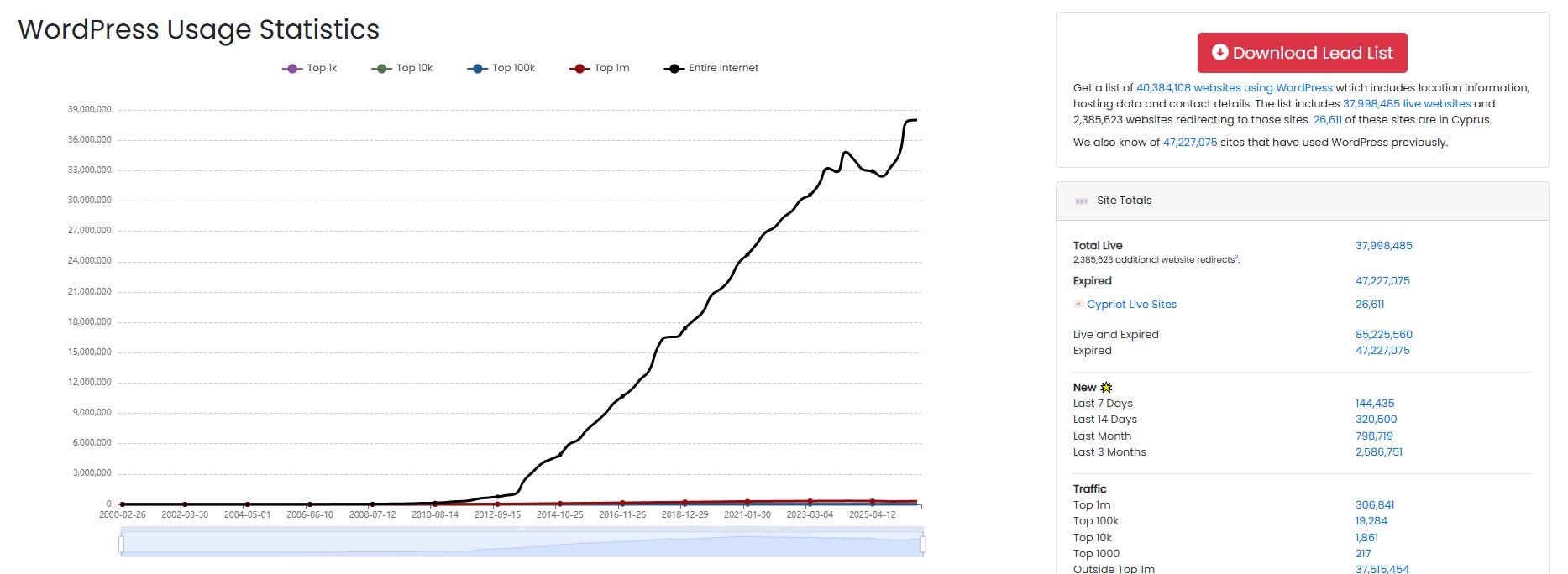
BuiltWith & Weppalyzer both have paid plans where you can export the websites using a tool.
Imagine having a form builder for WordPress and you want to reach out to all the websites using a competitor.
You can find, export, and reach out to them with arguments on why to change to you.
That’s just the beginning
Here is where your work begins.
Inventing a strategy from 0 is a fool’s errant.
Basing your assumptions in actual data and facts is important.
Industry knowledge, and a good “feel” of the customer (insights, gut feeling, experience) should also play a role to consider the invisible factors as well.
Data can easily be misinterpreted and misread, as well as a bad “gut feeling” action.
Take as much input.
Understand the market.
Then, consider your strengths and weaknesses.
You don’t need to copy a competitor’s strategy, just be aware of what and how they are doing it.
Then, use your unique advantages to hit the market running.
I always act using my advantages, not what looks like others are doing.